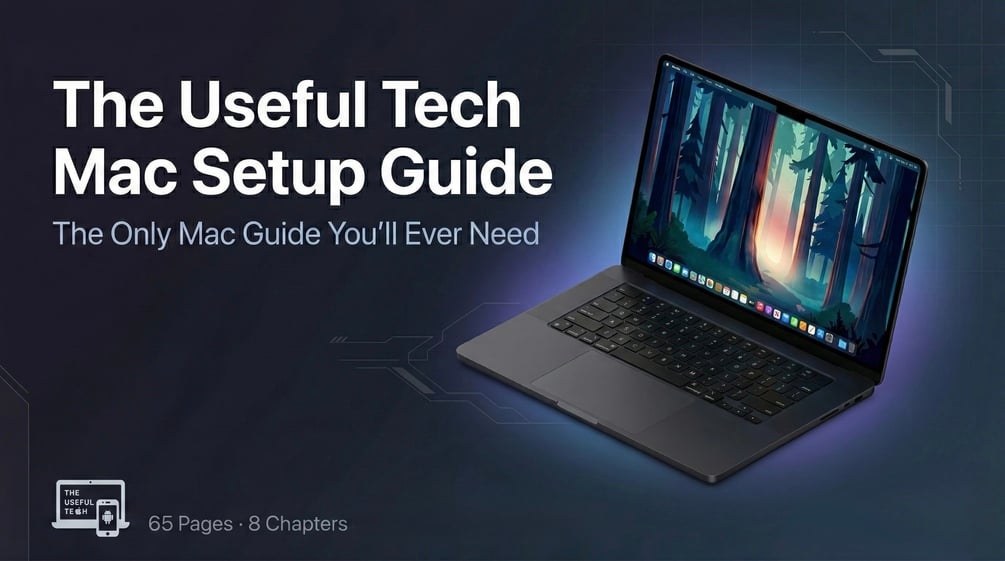
Your Mac is running at about 30 percent of what it can do. Not because you are doing anything wrong, but because the settings that matter are buried and nobody hands you the list. This is the list.
40+ settings to change15+ app categories20+ Terminal commandsWindows switchers welcome
Name your price · $39+ minimum
$
The minimum is $39. Enter that or more, or leave the field empty to set it on the next screen.
Leave it empty and you can choose the amount at checkout. Instant PDF, no subscription.
Be the first to review
65
Pages
40+
Settings to change
28
Windows terms translated
8
Parts
Two minutes, no email required
Find out how much of your Mac you are already using
Tick everything you already do or already know. What you leave unticked is what the guide covers, and the readout points you at the parts that matter most for you.
Which of these are already true for you?
Tick what applies
0%
Dialled in
Tick the ones that already apply and the readout fills in.
Start with
Nothing here is stored or sent anywhere. The score is a rough gauge, not a grade. Most people who have used a Mac for years land somewhere in the middle, which is the whole reason this guide exists.
What is inside
Eight parts, in the order you should do them
Work through it once over a weekend, then keep it as the thing you check when you set up your next machine.
A Windows-to-Mac translation dictionary covering 28 terms, a Migration Assistant walkthrough, and a first-48-hours checklist that runs from FileVault encryption through to trackpad settings. If you have just switched, this is where you start and everything after it assumes you did.
Every setting worth changing across Dock, Finder, trackpad, keyboard, notifications, energy, and privacy. Each one explains why the default is wrong for most people and what it should be instead, so you are making a decision rather than following an instruction.
The best apps across more than 15 categories, free essentials first and paid apps after. Every entry says what I use it for, how often, whether it earns its price, and where to get it. No filler and no affiliate bait.
The extensions that close every gap between Safari and Chrome, across ad blocking, privacy, productivity, and developer tools. Includes the exact setup that let me leave Arc and stay gone.
More than 20 commands, each with what it does, why you would want it, and how to undo it. Then the hidden macOS features that need no Terminal at all: Option-key menus, Hot Corners with modifiers, Stationery Pad, and the text navigation shortcuts most people never learn.
Not a wall of 200 shortcuts you will never memorise. The ones that save real time every day, grouped by category, with context on when each one earns its place in your hands.
The 3-2-1 backup strategy, a monthly maintenance checklist, Safari privacy hardening, and the settings that move a Mac from reasonably secure to properly locked down. Plus the software you do not need, antivirus included.
Honest maths on whether Setapp is worth it for you specifically. Which apps justify the subscription, a break-even analysis, and the calculation you can run on your own list rather than mine.
Before you buy
Honest about who this helps
This is for you if
You just bought a Mac and want it set up right the first time rather than fixed later.
You switched from Windows and keep reaching for Ctrl instead of Cmd.
You have used a Mac for years and suspect you are still scratching the surface. You probably are.
You have googled best Mac apps and got the same ten recommendations everyone already has.
This is not for you if
You are a system administrator or an iOS developer. You are past this.
You already keep a custom Terminal dotfiles repo.
You know what defaults write does without looking it up. Part 5 will not surprise you.
R
Who wrote this
Raja, The Useful Tech
I spent five years writing about Apple products, testing over 200 apps, reading through thousands of Reddit threads, and working at an early-stage startup where my Mac was the whole workflow. I still kept finding settings and features that had been sitting in front of me the entire time.
I did not write this to rank on Google. I wrote it because the same three questions kept arriving from readers: which apps, which settings, and how to make the machine feel faster. Rather than answer them one at a time forever, I put five years of testing and mistakes into one place. Every recommendation is something I use, and every setting is one I have changed myself.
#1 Apple blog on Medium78K+ followers500+ articles
One weekend
The guide I wish someone handed me on day one
Sixty-five pages that take a Mac from just turned on to working exactly how you want it. Pay what you think it is worth, from $39+ up.
Name your price
$
The minimum is $39. Enter that or more, or leave the field empty to set it on the next screen.